How to setup Drizzle ORM in Node.js with Typescript and Perform CRUD operation
Last updated on
Drizzle ORM is a new ORM for javascript and typescript based applications which is an alternative to Prisma.
It takes different approach than Prisma and it has a lot of advantages over prisma such as support for serverless and edge environment, faster than prisma, SQL like syntax with relational syntax too and many others…
Even though it has not reached stable status yet, you can use it in your side project or new projects too. The team is working very hard and they are awesome.
In this step by step tutorial we will implement the complete CRUD functionality using Drizzle ORM. I have not built any views or frontend for this project. I will try all the functionality in Postman.
I have used MySQL (locally) as a database to use with drizzle orm. You can use other databases too like PosgreSQL or Sqlite. There would slight change in installation and setup part. So please refer to documentation. Here is repo for this project
Step 1: Setting up express app.
I have basically setup basic node.js app with all the routes and controllers setup. Download the starter file.
Let’s discuss about the folder structure.
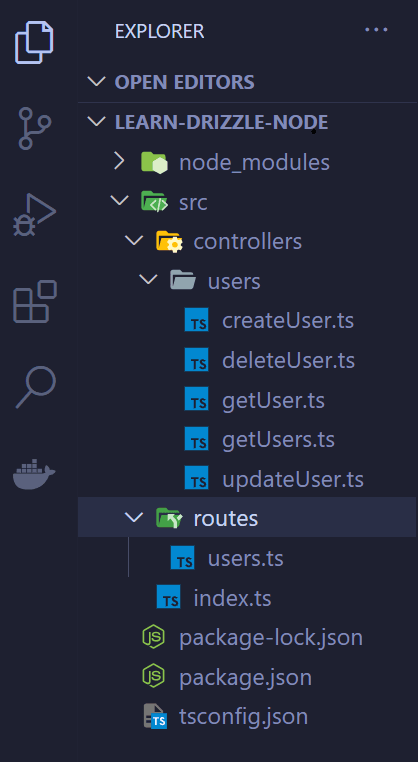
The entry point is src/index.ts. I have initialised the express app with some middlewares and configured the routes.
In routes folder their is only one file i.e users.ts which contains all the routes.
In controllers, I have made different controllers for each operation.
Step 2: Setting up Database
I am using local mysql database for this project. Create a database with any name I am creating drizzlenode database.
Here how to create it via terminal
terminal
mysql -u username -pterminal
create database drizzlenode;You can verified it is created or not by running command. You will see all the databases.
terminal
show databases;Now create a .env file in root folder
.env
DB_URL="mysql:username@password:3306/drizzlenode"Step 3: Setting up Drizzle ORM
Step 3.1: Start setting up drizzle ORM by installing ORM and Drizzle Kit.
terminal
npm install drizzle-orm mysql2 npm install drizzle-kit -DIn src directory make a db folder and inside db create a setup.ts file
Let setup drizzle orm with mysql
src/db/setup.ts
import { drizzle } from "drizzle-orm/mysql2";
import mysql from "mysql2";

if (!process.env.DB_URL) {
throw new Error("DB credentials error");
}
const connection = mysql.createConnection(process.env.DB_URL);

export const db = drizzle(connection);
Now lets create schema. It is equivalent to prisma schema. The difference is that in drizzle orm we write schema in typescript syntax.
Create schema.ts in db folder.
src/db/schema.ts
import { mysqlTable, serial, varchar } from "drizzle-orm/mysql-core";

export const users = mysqlTable("users", {
  id: serial("id").primaryKey(),
  name: varchar("name", { length: 256 }).notNull(),
  email: varchar("email", { length: 256 }).notNull().unique(),
});
This is a basic schema. I am creating a table users and it will have 3 columns. id which will be incremented automatically and it is also a primary key. name field which is of type varchar and it cannot be null. Similaryly email field is a unique field and also cannot have null values.
Now let’s create a migration and also push the changes to database because until now our database doesn’t know about the schema. For this we will use drizzle-kit which we have already installed as a developement dependency.
Step 3.2: Migration and db push
Let start by creating a drizzle config file.
Create drizzle.config.ts in root folder.
drizzle.config.ts
import type { Config } from "drizzle-kit";
import dotenv from "dotenv";

dotenv.config();

export default {
  schema: "./src/db/schema.ts",
  out: "./src/db/migrations",
  dbCredentials: {
    connectionString: process.env.DB_URL!,
  },
  driver: "mysql2",
} satisfies Config;
Now let’s create 2 scripts in package.json to create migrations and push changes.
package.json
"scripts": {
  "dev": "nodemon src/index.ts",
  "build": "tsc",
  "db:generate": "drizzle-kit generate:mysql",
  "db:push": "drizzle-kit push:mysql"
},
Now run generate command which will generate the migrations in our db folder.
terminal
npm run db:generateOutput:
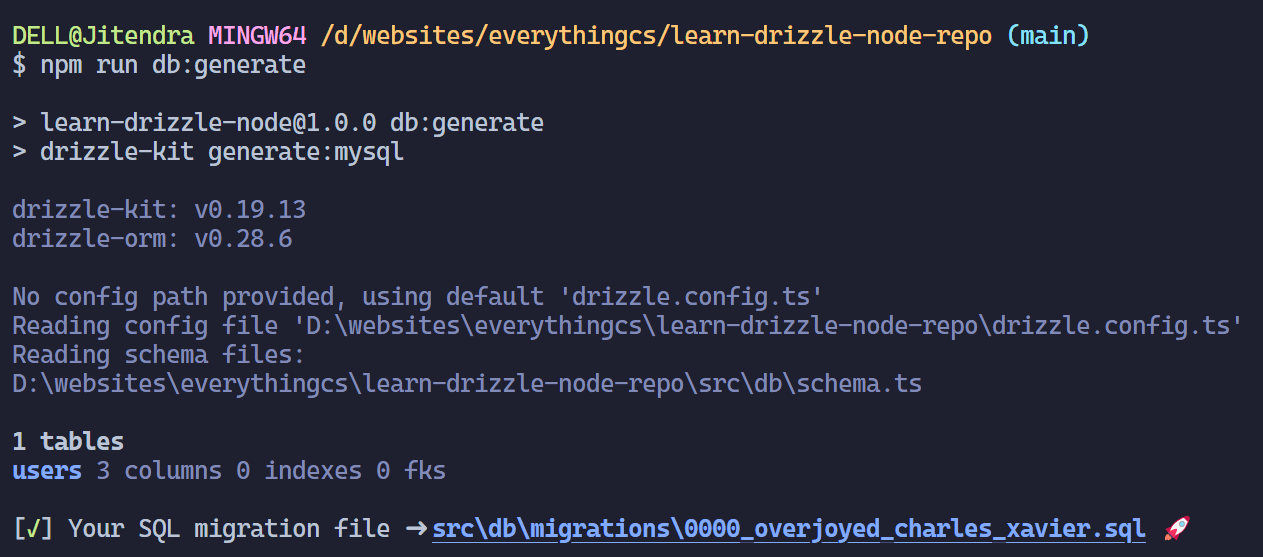
Now run push command. It will create the table according to the schema.
terminal
npm run db:pushOutput:
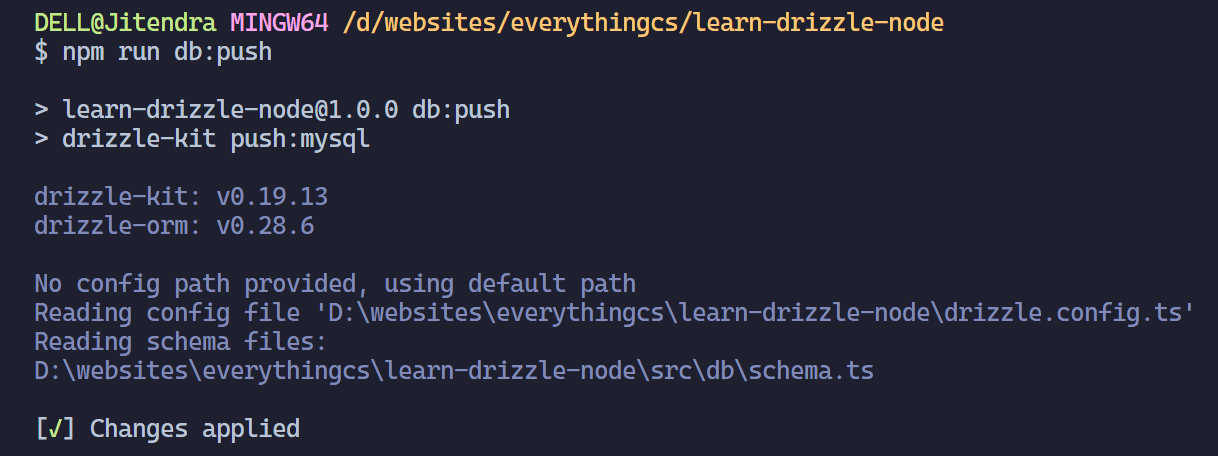
Now our database is in sync with out let perform the CRUD operation.
NOTE: Every time you make changes to schema you have to perform generate and push step.
Step 4: CRUD Operation
Step 4.1 Create Operation
Open the src/controllers/createrUser.ts file
To insert first we will have to import the db which we intialised in db/setup.ts. And with that db we will call the insert method which takes table name as an arguement and call values method in which we will pass the values.
import { db } from "../../db/setup";
import { users } from "../../db/schema";
...
await db.insert(users).values({ name: name, email: email });
Here is the complete createUser.ts code
src/controllers/createrUser.ts
import { Request, Response } from "express";
import { users } from "../../db/schema";
import { db } from "../../db/setup";

const createUser = async (req: Request, res: Response) => {
  const { name, email }: { name: string; email: string } = req.body;

  if (!name) {
    return res
      .status(400)
      .json({ success: false, data: null, message: "Name is required" });
  }

  if (!email) {
    return res
      .status(400)
      .json({ success: false, data: null, message: "Email is required" });
  }

  try {
    await db.insert(users).values({ name: name, email: email });

    return res.status(201).json({
      success: true,
      data: { name, email },
      message: "Added Successfully",
    });
  } catch (error) {
    return res
      .status(500)
      .json({ success: false, data: null, message: "Unable to add" });
  }
};

export default createUser;
Send request to from your frontend or postman and pass 2 values name and email. POST REQUEST TO (http://localhost:5000/users)
Output:
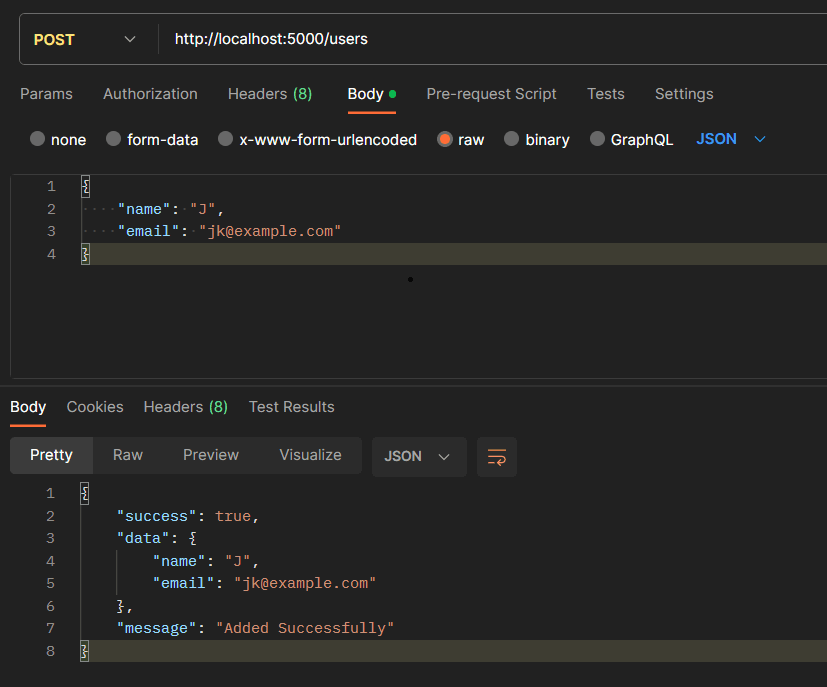
Step 4.2 Read Operation
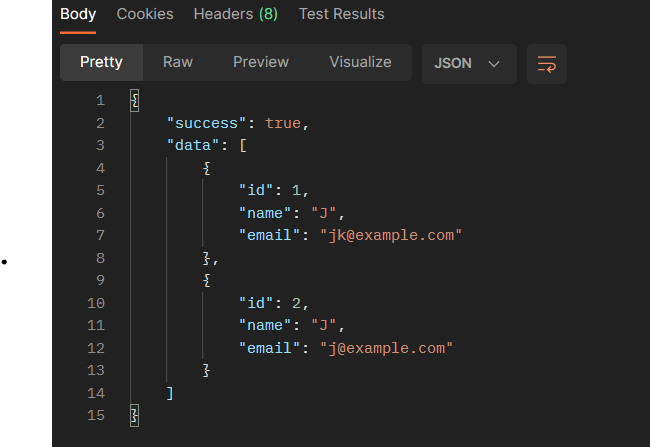
Step 4.2.1 Read All Users
Open the src/controllers/getUsers.ts file
In this again we will import both the db and user schema and make use of select method and get it from the desired table.
import {db} from "../../db/setup";
import {users} from"../../db/schema";
...

await db.select().from(users);
Here is the complete getUsers.ts code
src/controllers/getUsers.ts
import { Request, Response } from "express";
import { db } from "../../db/setup";
import { users } from "../../db/schema";

const getUsers = async (req: Request, res: Response) => {
  try {
    const allUsers = await db.select().from(users);
    return res.status(200).json({ success: true, data: allUsers });
  } catch (error) {
    return res
      .status(500)
      .json({ success: false, data: null, message: "Unable to get users" });
  }
};

export default getUsers;
Send request to from your frontend or postman. GET request to (http://localhost:5000/users)
Output:
Step 4.2.1 Get user by id
Open the src/controllers/getUser.ts file
  import {db} from "../../db/setup";
  import {users} from "../../db/schema";
  ...
  await db.select().from(users).where(eq(users.id,Number(userId)));
Here is the complete getUser.ts code
src/controllers/getUser.ts
import { Request, Response } from "express";
import { db } from "../../db/setup";
import { users } from "../../db/schema";
import { eq } from "drizzle-orm";

const getUser = async (req: Request, res: Response) => {
  const { userId } = req.params;
  try {
    const userById = await db
      .select()
      .from(users)
      .where(eq(users.id, Number(userId)));

    return res.status(200).json({ success: true, data: userById });
  } catch (error) {
    return res
      .status(500)
      .json({ success: false, data: null, message: "Unable to get users" });
  }
};

export default getUser;
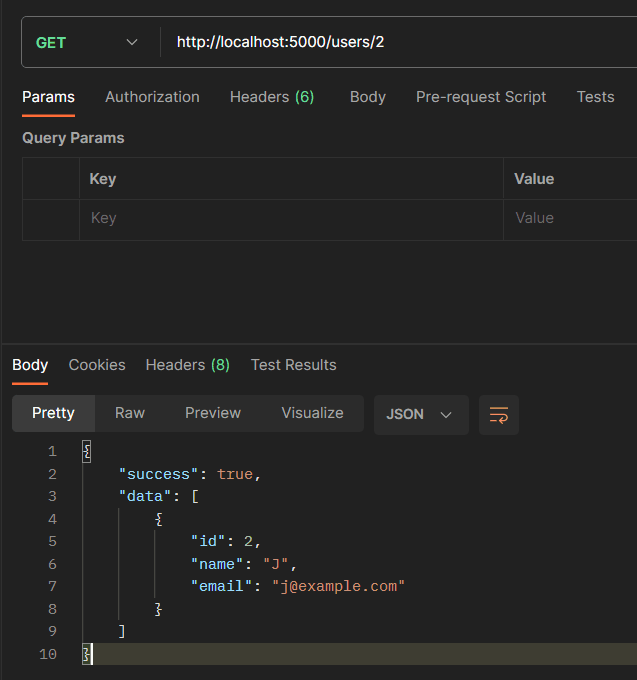
Send request to from your frontend or postman. GET request to (http://localhost:5000/users/{id})
Output:
Step 4.3 Update Operation
Drizzle ORM provides a update method to update the table
import { db } from "../../db/setup";
import { users } from "../../db/schema";
...
await db.update(users).set({name: "new name", email : "new@email.com"}).where(eq(users.id, Number(userId)));
src/controllers/updateUser.ts
import { Request, Response } from "express";
import { db } from "../../db/setup";
import { users } from "../../db/schema";
import { eq } from "drizzle-orm";

const updateUser = async (req: Request, res: Response) => {
  const { name, email }: { name: string; email: string } = req.body;
  const { userId } = req.params;

  try {
    if (!userId) {
      return res
        .status(400)
        .json({ success: false, message: "Please provide user_id to update" });
    }
    if (!name && !email) {
      return res
        .status(400)
        .json({ success: false, message: "Please provide field to update" });
    }
    const updateData: { name?: string; email?: string } = {};

    if (name) {
      updateData.name = name;
    }
    if (email) {
      updateData.email = email;
    }
    await db
      .update(users)
      .set(updateData)
      .where(eq(users.id, Number(userId)));
    return res
      .status(200)
      .json({ success: true, message: "Updated Successfully" });
  } catch (error) {
    return res.status(500).json({ success: true, message: "Cannot Update" });
  }
};

export default updateUser;
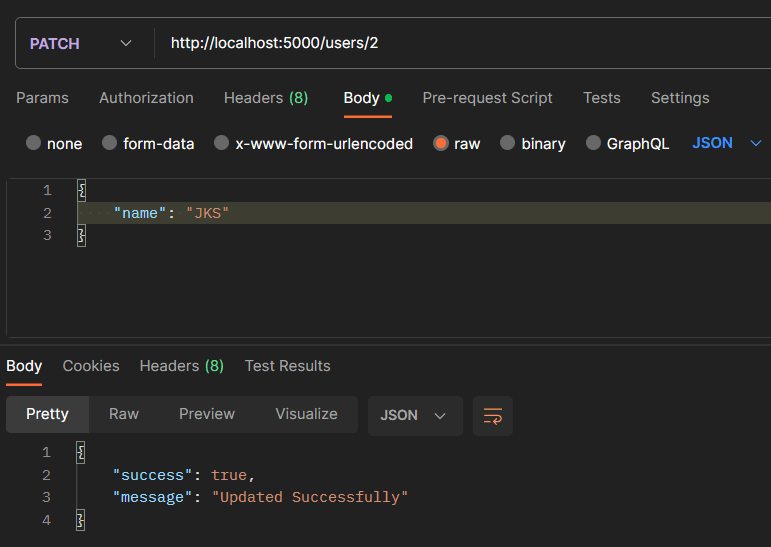
Send request to from your frontend or postman. PATCH request to (http://localhost:5000/users/{id})
Output:
Step 4.3 Delete Operation
Drizzle ORM provides a delete method to delete the column the table by unique identified (here I am using id. Email field can also be used)
import { db } from "../../db/setup";
import { users } from "../../db/schema";
...
await db.delete(users).where(eq(users.id, Number(userId)));
src/controllers/deleteUser.ts
import { Request, Response } from "express";
import { db } from "../../db/setup";
import { users } from "../../db/schema";
import { eq } from "drizzle-orm";

const deleteUser = async (req: Request, res: Response) => {
  const { userId } = req.params;

  try {
    await db.delete(users).where(eq(users.id, Number(userId)));
    return res
      .status(200)
      .json({ success: true, message: "Delete Successfully" });
  } catch (error) {
    return res.status(500).json({ success: true, message: "Cannot Delete" });
  }
};

export default deleteUser;
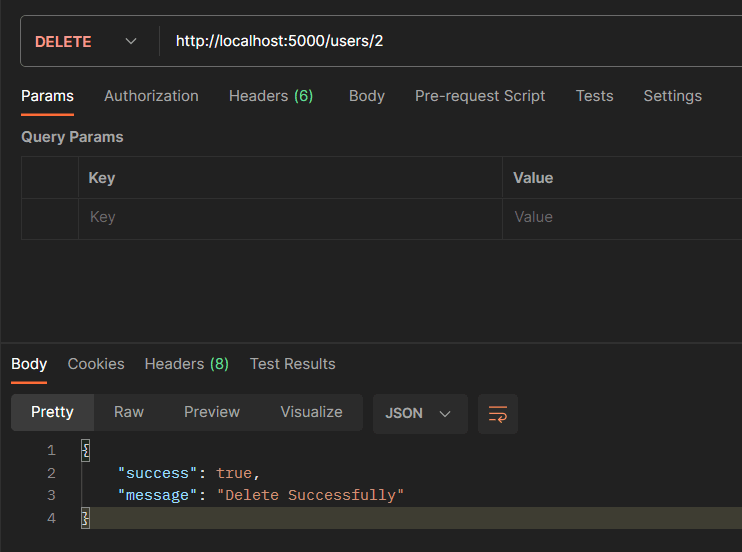
Send request to from your frontend or postman. DELETE request to (http://localhost:5000/users/{id})
Output:
Conclusion
So we have implement CRUD operation with Drizzle ORM on Node.js using TypeScript and MySQL. Here is the repo. Please refer this if you’re getting any error.
Please let me know if you find any difficulty. You can connect with me on discord and twitter.